
Solution
Add Any Piece to Your Room — and See If It Fits
Place a sofa, a reading chair, or a full set into your photo with honest scale — before it ships to your door.
Free 5 credits · No card required
Try it on your own photo
Free plan includes 5 credits · your photo’s geometry stays locked · results save to your account
1 · Upload your photo
The room photo from your listing or phone — straight-on or corner view works best.
2 · Fine-tune (optional)
Your photo’s camera angle and structure always stay locked — only the described edit happens.
Upload a photo to enable generation.
3 · Your images
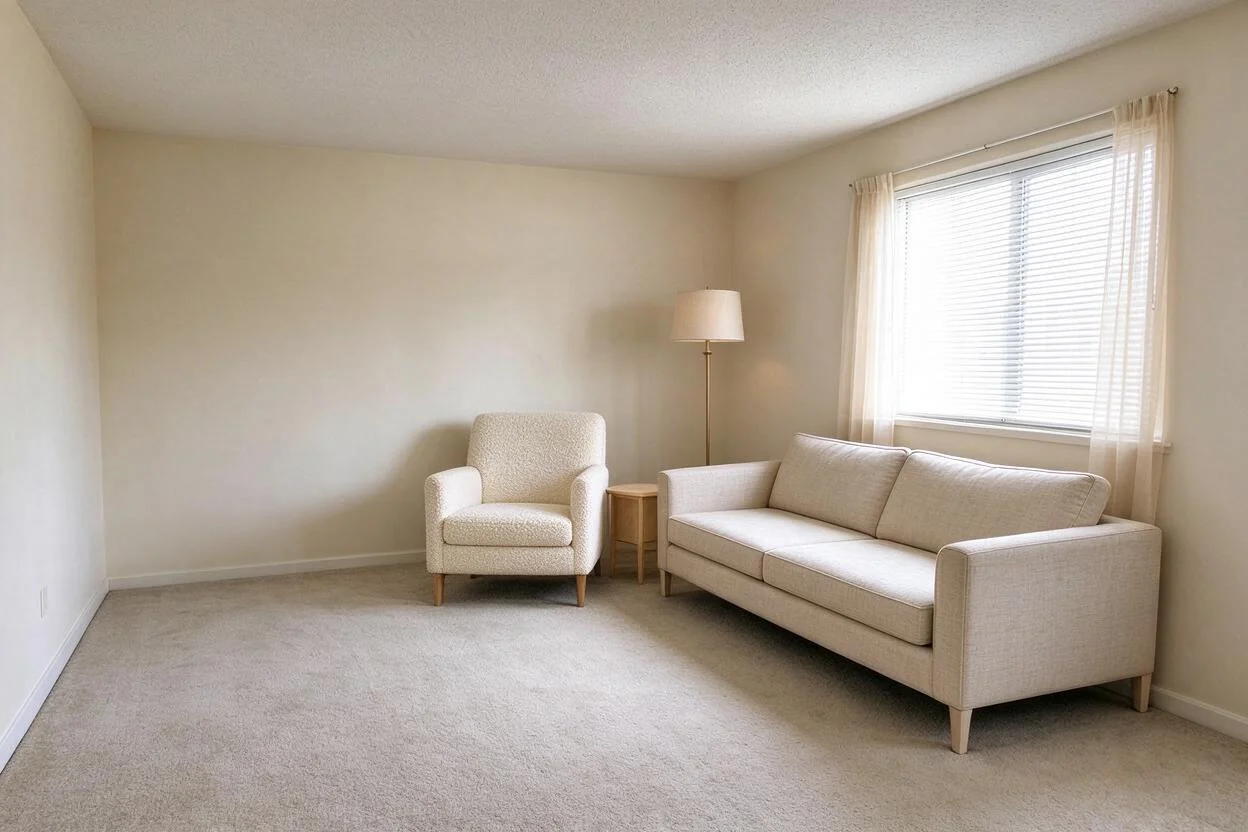
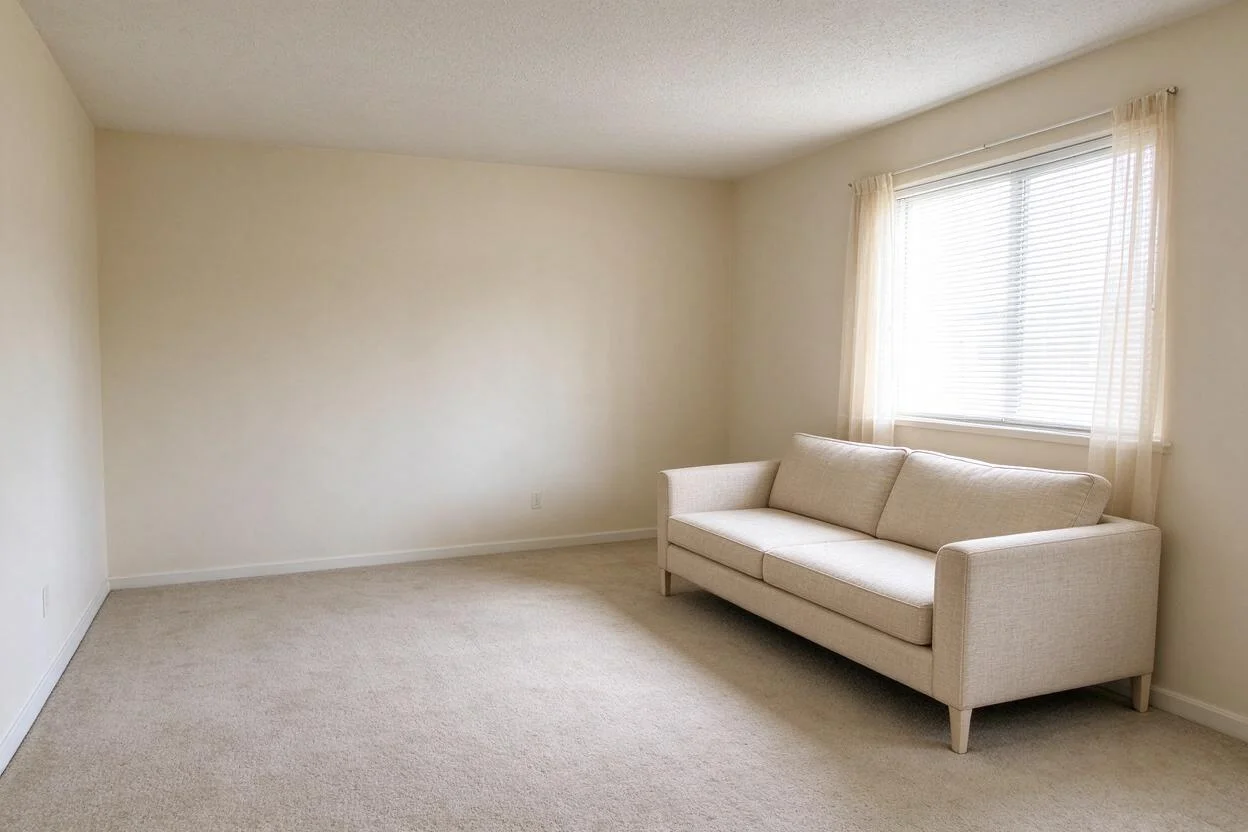
01
Why add furniture matters
Shoppers
A sofa that's perfect in the showroom swallows your living room at home.
Designers
Clients need to see the proposed piece in place, not in a catalog cutout.
Sellers
Half-furnished rooms read unfinished in listings.
02
How it works
From upload to download — most renders finish in about a minute.
Upload
A photo of the room as it is.
Place
Say what goes where: "armchair by the window".
Render
The piece lands with matched perspective and shadows.
Check
Walkways and proportions render honestly — review them.
Refine
Adjust size, color, or position piece by piece.
Download
Save the composed room.
03
Prompt guide
Do this
- Give a position: "against the left wall".
- Name finishes: "boucle, ivory".
- Add one or two pieces per pass for clean results.
Avoid this
- Filling every wall — leave negative space.
- Expecting exact brand models; expect faithful types.
- Asking to remove things in the same pass.
“Add a boucle reading chair and floor lamp by the window.”
“Place a queen bed with two nightstands against the far wall.”
“Add a console table above the radiator with a mirror above it.”
04
Built for your role
Shoppers
- Fewer returns
- Scale decisions made with your eyes
- Coordinate pieces before checkout
Designers
- Proposals in the client's room
- Iterate without sourcing samples
- Close faster with visuals
Agents
- Finish a half-empty listing
- Show a room's flexible uses
- No furniture rental
05
Under the hood
- Perspective-matched placement keeps scale honest.
- Contact shadows and ambient occlusion ground new pieces.
- Existing furniture is preserved unless you ask otherwise.
- Renders are directional — verify final dimensions before buying.
Selling products online? Try AI Product Scenes →
06
FAQ
Will the piece match a specific store model?
Renders show the type and finish faithfully — always confirm actual dimensions with the retailer.
Can I add several pieces at once?
Yes, but one or two per pass renders cleanest.
Does it respect walkways?
It renders honestly — if a piece crowds the room, the render shows it.
Can I choose colors?
Yes — name finishes and colors in the prompt.
What about wall-mounted items?
Shelves, mirrors, and art place well on walls.
Can it remove things too?
Removal is the object-removal tool; keep passes separate for cleanest results.
07
Related tools
Ready to see your room transformed?
Five free credits. No credit card. Your first render in about a minute.