
Solution
Preview New Facades, Siding, and Materials on Your Building
Re-clad, repaint, and re-light a house or small building in renders — before a single contractor quote.
Free 5 credits · No card required
Try it on your own photo
Free plan includes 5 credits · your photo’s geometry stays locked · results save to your account
1 · Upload your photo
The house exterior photo — full facade in frame.
2 · Fine-tune (optional)
Your photo’s camera angle and structure always stay locked — only the described edit happens.
Upload a photo to enable generation.
3 · Your images
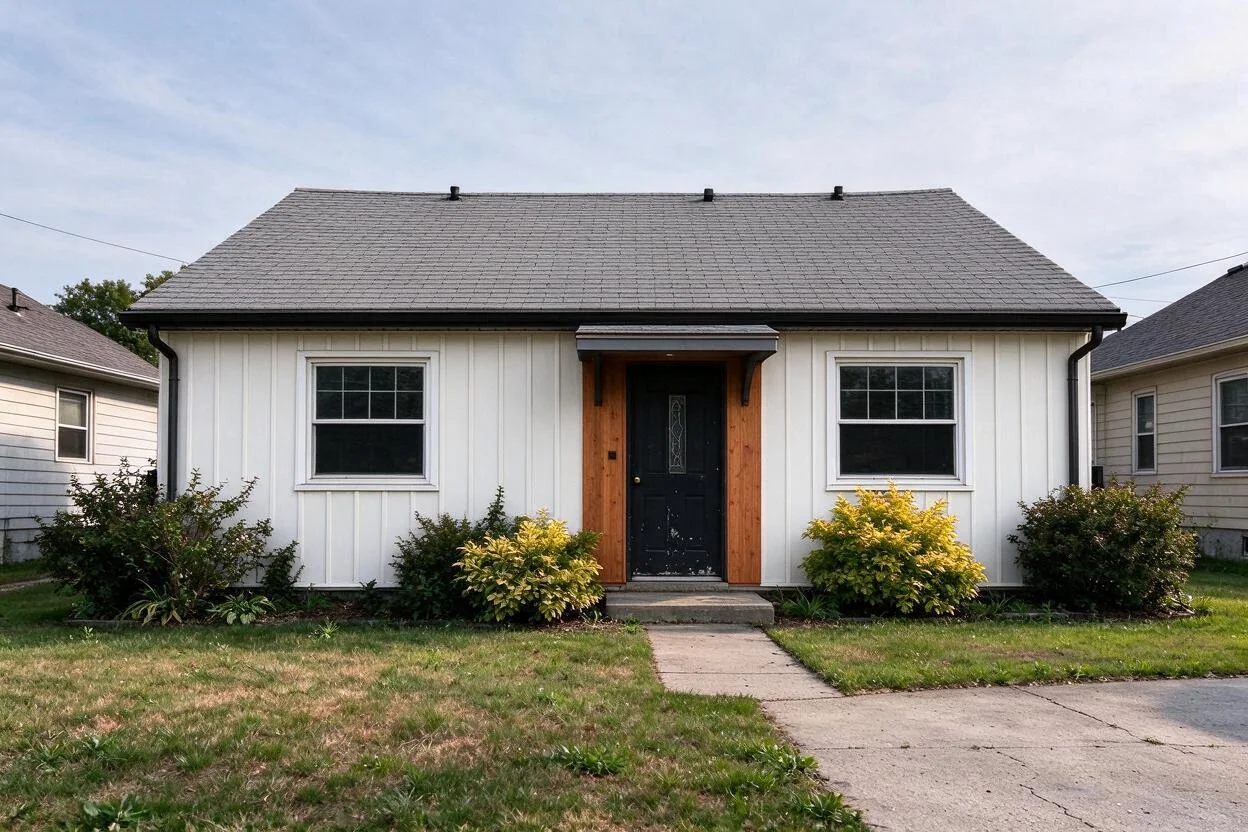
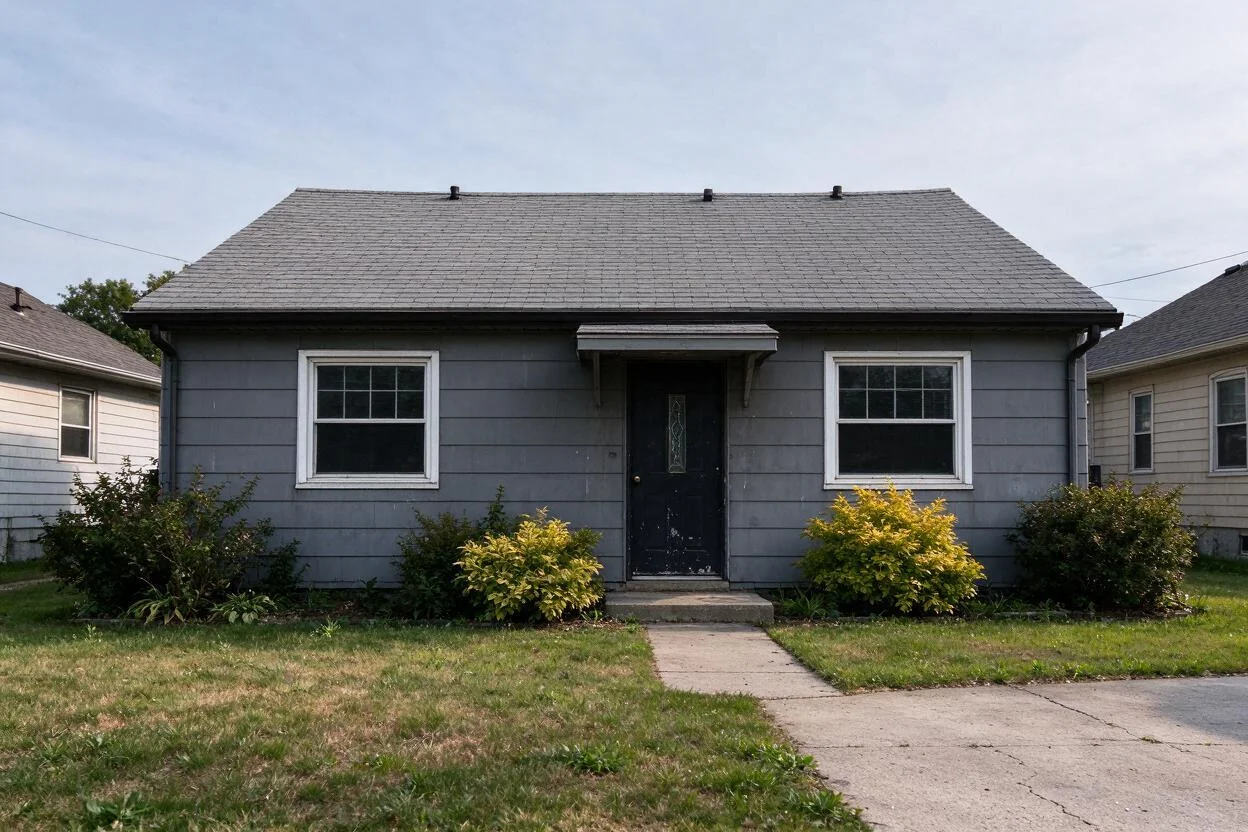
01
Why exterior rendering matters
Homeowners
A facade renovation is a five-figure bet on a color chart.
Developers
Buyers can't read plans; they buy what they can see.
Architects
Clients approve faster with material options on their actual building.
02
How it works
From upload to download — most renders finish in about a minute.
Upload
A straight-on or slight-angle photo of the exterior.
Analyze
Roof planes, walls, and openings are mapped.
Choose
Pick materials: board-and-batten, brick, stucco, standing seam.
Render
The facade updates with real shadows kept.
Refine
Try trim colors, window frames, lighting one at a time.
Download
Export options for quotes and approvals.
03
Prompt guide
Do this
- Change one system at a time: siding, then trim, then lighting.
- Name materials, not just colors: "horizontal cedar-look cladding".
- Shoot from the street at the elevation you're changing.
Avoid this
- Moving doors and windows — openings stay put.
- Mixing three material styles in one render.
- Night shots for material decisions.
“Re-clad the front facade in vertical board-and-batten, warm white, with cedar accents; keep the roof and windows.”
“Preview the brick painted in a soft limewash.”
“Show the same elevation with standing-seam metal in dark gray.”
04
Built for your role
Homeowners
- See the renovation before the scaffold goes up
- Compare two material directions honestly
- Brief contractors with a shared image
Developers
- Sell from renders at acquisition stage
- Test palettes per market
- Marketing images without a mockup unit
Architects
- Material studies in minutes
- Client approvals in the first meeting
- Photo-real context, not abstract massing
05
Under the hood
- Plane detection keeps rooflines, eaves, and window positions fixed.
- Materials render with texture and weathering, not flat tints.
- Existing shadows are preserved across material changes.
- Multi-unit and small commercial buildings render with the same engine.
Selling products online? Try AI Product Scenes →
06
FAQ
Can it change window positions?
No — openings stay where they are; materials, colors, and lighting change.
Does it work on multi-story buildings?
Yes — townhomes and small apartment buildings render fine.
Can I test several materials?
Yes — run each as its own generation and compare side by side.
Is this a construction document?
No — visualization only. Specs and engineering are for your design professional.
Does lighting change?
Only decorative lighting if you ask; structural light stays true.
What photos work best?
Street-level, straight-on, daylight, no parked cars in front.
07
Related tools
Ready to see your room transformed?
Five free credits. No credit card. Your first render in about a minute.