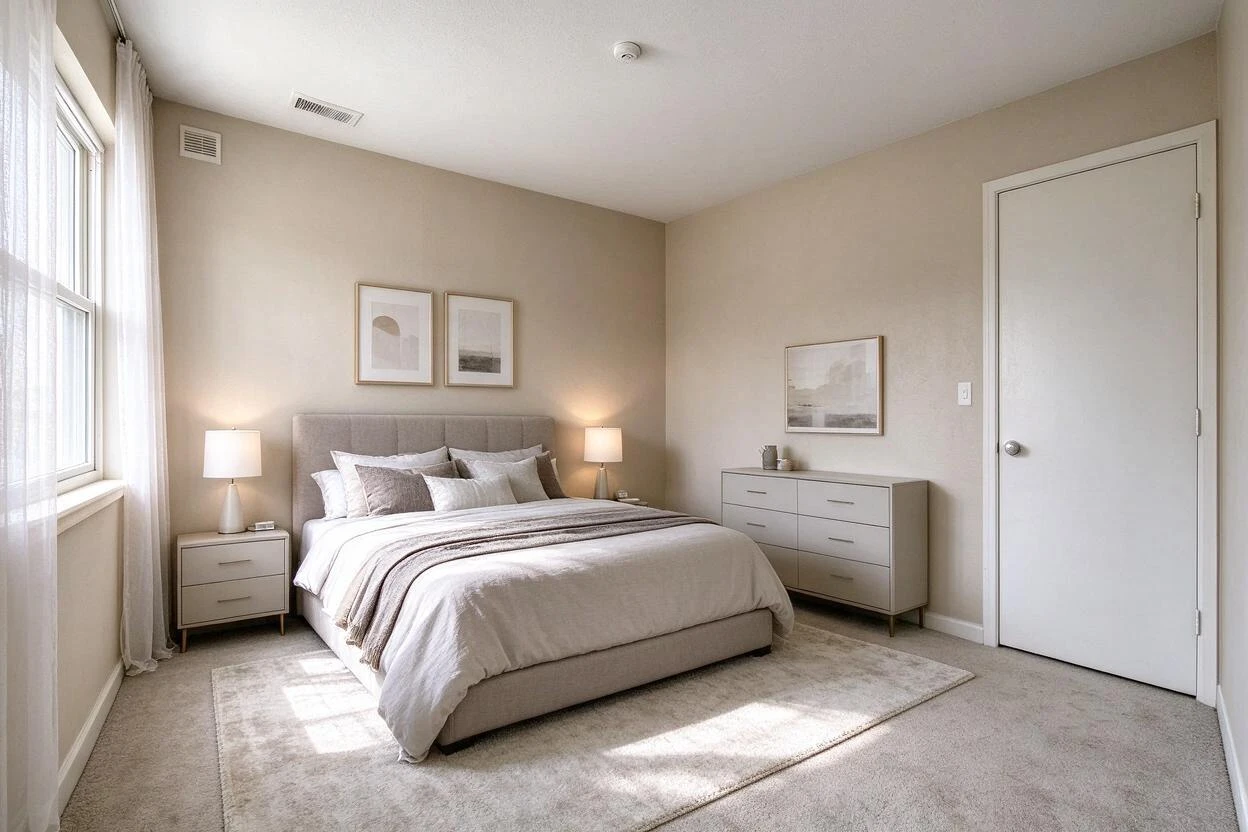
How does AI interior design work?
By Goodesign AI · Updated 2026-10-16
An AI design tool reads your room photo with an image model that understands depth, surfaces, and lighting, then generates — or edits — the scene with new furniture, colors, or finishes applied to the same geometry. You steer it with text prompts and style choices; the result arrives in seconds to minutes.
Under the hood, most tools follow the same three steps. Knowing them helps you predict what the tool will do well and where it needs help.
Step 1: understanding the photo
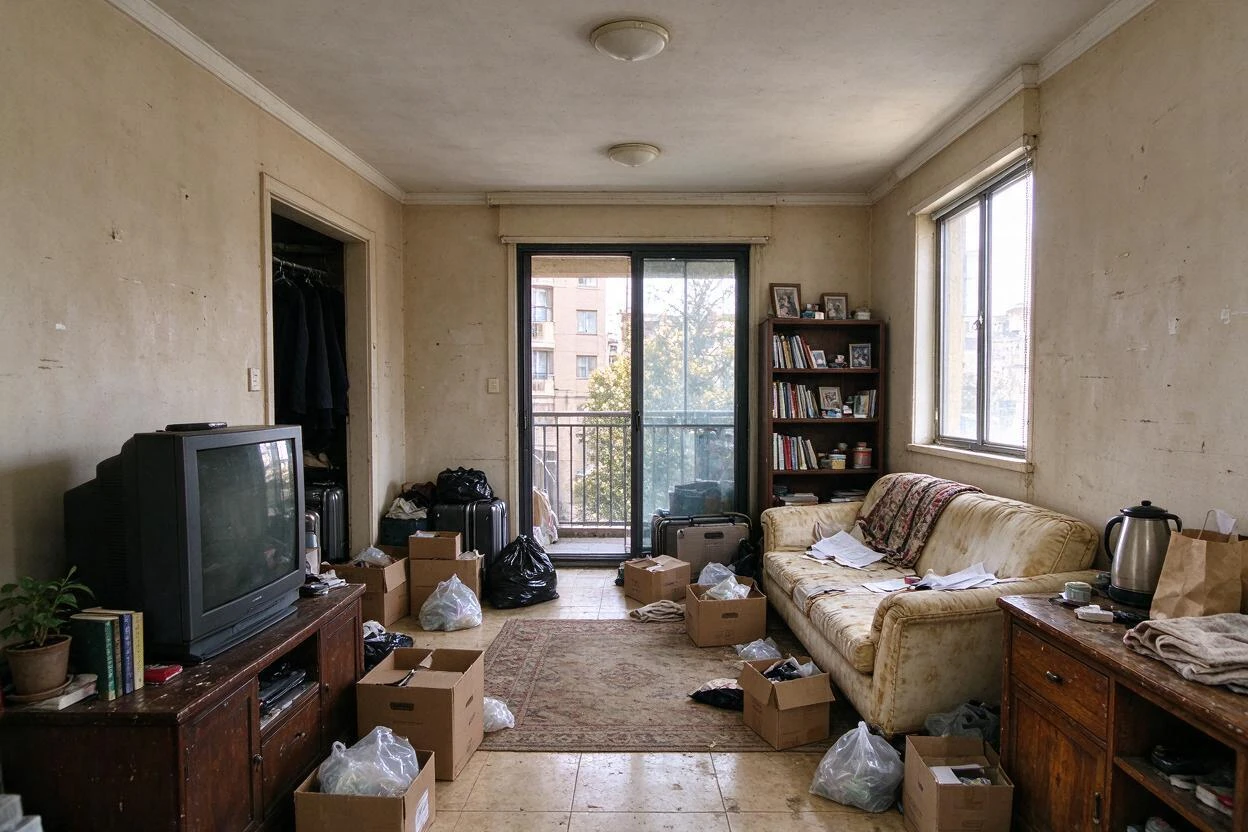
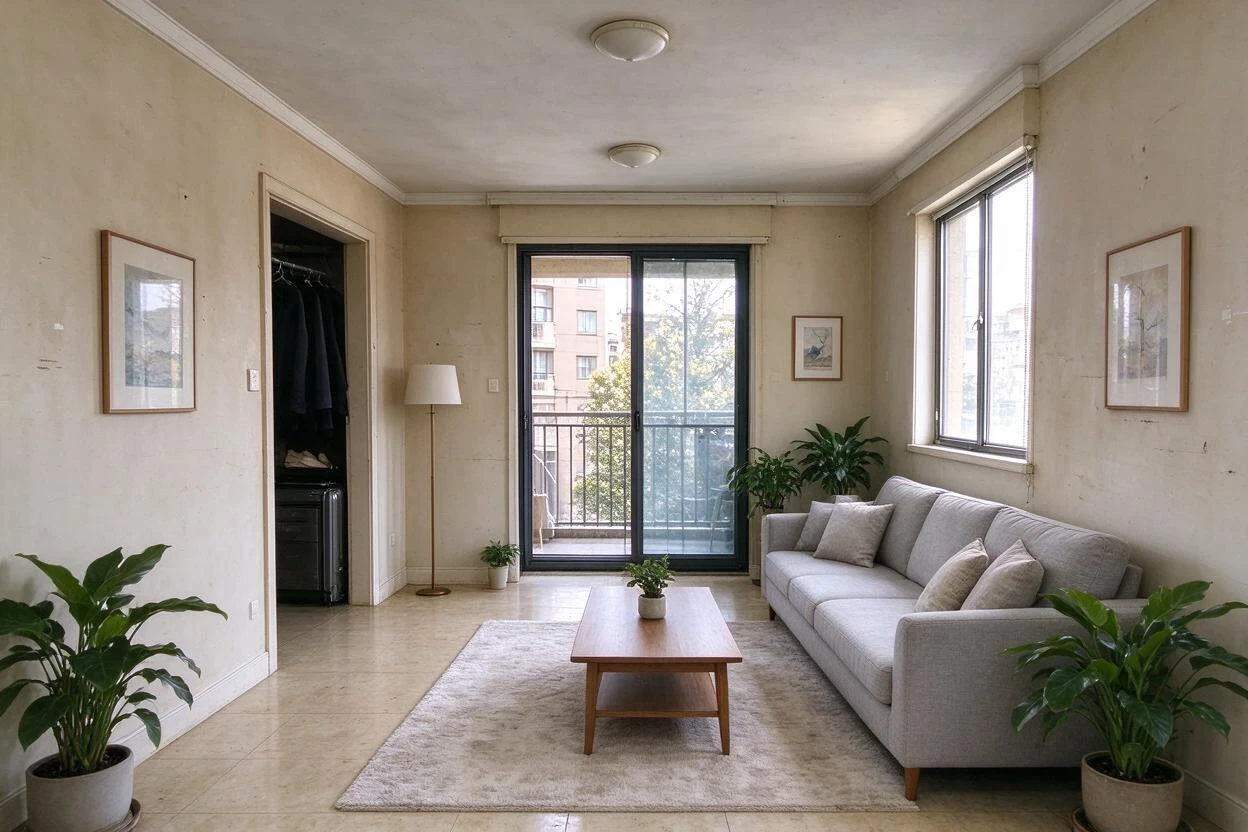
The model first parses the image: where the floor plane sits, where walls meet, where the window light comes from, which objects are furniture versus architecture. This is why input quality matters so much — a clean, level photo with visible corners gives the model an unambiguous scene to work with, while a dark skewed one leaves it guessing.
Step 2: generation or editing
From there the tool either generates a fresh version of the whole scene that matches your prompt, or performs targeted edits — repainting a wall, swapping a sofa, clearing clutter while rebuilding the surfaces behind it. Editing models keep the room's real geometry intact; generation takes more liberty. For listings and redecorating, prefer tools that edit in place, because a render that changes the windows is worse than useless.
Step 3: your steering
Prompts name the style, anchor pieces, and mood; the model handles perspective, shadows, and fabric behavior that used to require a 3D artist. This is the part that used to take a designer a week in rendering software and now takes a minute of compute — which is why AI staging prices per photo collapsed over the last few years.
Where the furniture actually comes from
Nothing in the render is a 3D model of a real sofa. The model has absorbed millions of interior photos and draws furniture pixel by pixel, the same way it draws shadows and reflections. That's the strength — a velvet sofa in window light would take a 3D artist a day to build — and the weakness: no warehouse grounds the drawing. Ask for "oak sideboard" and you'll get something oakish at the right scale, not a specific product with a SKU. Run the same prompt twice and you get siblings, not twins, because each render is synthesized fresh. This is also where the famous glitches come from — chair legs that multiply, drawer fronts that don't open, fabric that melts. Why AI renders look fake catalogs the tells. For listings and redecorating, none of this matters much. For "I want to buy that exact sofa," it matters completely.
What AI does well — and where it still fails
Well, and fast: perspective, contact shadows, fabric drape, and light direction — the physics that used to demand a 3D artist. Iteration: at 15–30 seconds per render on Goodesign, you can afford ten bad ideas to find the good one. Range: the same room as Scandinavian, industrial, and Japandi before your coffee cools.
Still failing, predictably: mirrors and glass (they double the scene and confuse depth), fine text and logos, exact counts ("six dining chairs" is a suggestion), unusual camera angles, and any kind of measurement. These aren't bugs racing to be fixed; they're the difference between synthesizing a plausible image and knowing a room. Trust renders for style, color, and arrangement — never for dimensions.
How much control you actually have
Control is a ladder, not a switch. Top rung: full-scene redesign — maximum freedom, the model rebuilds everything, best for exploring directions; Goodesign's redesign tool works this way. A rung down: targeted edits that lock everything but one variable — repaint a single wall, add one sofa, remove one object — where the tool's entire job is to not touch anything else. Bottom rung: prompt craft, which is more lever than people expect; naming two or three anchor pieces beats a paragraph of adjectives.
Most bad experiences with AI design are control mismatches: using a full-restyle tool and expecting catalog fidelity, or a surgical tool and expecting magic. Match the rung to the job and the output stops surprising you.
What the pipeline can't do
It can't measure the room, verify a sofa fits with walking clearance, or order the furniture. It visualizes; you decide. Treat every output as a fast, cheap draft of a decision — not the decision itself.
What happens to your photo
The unglamorous step worth reading: your upload is processed to run your generation, and that's it. Goodesign's privacy policy states the plain version — personal data isn't sold, and uploaded photos aren't used to train AI models without your explicit opt-in consent; a deletion request removes uploads after a short grace period. Not every tool says this. Some free apps reserve the right to train on and reuse your photos, which is a real price tag hiding inside the word "free." Is it safe to upload home photos to AI walks through what to check and what to crop before uploading anywhere.
See the pipeline on your own walls: upload a room photo and watch one photo move through restyle, repaint, and refurnish in a single sitting.
FAQ
Do professional interior designers actually use AI?
Increasingly, yes — mostly for concepting: six visual directions on Monday instead of verbal descriptions, then real sourcing against the direction the client picks. The taste, the sourcing, and the accountability stay human.
How accurate is AI interior design?
Visually, good enough that listing platforms require disclosure of it. Dimensionally, not at all: renders can be a few centimeters optimistic on every piece at once, so trust them for style and layout, and measure before anything is bought or built.
What kind of photo works best?
A level, chest-height shot with the lights on and corners visible — a modern phone camera is fine. The model reads geometry from your photo, so dark, skewed, or cluttered input forces it to guess.
How long does an AI render take?
Seconds to minutes: Goodesign returns most renders in 15–30 seconds, and complex full-scene edits take a little longer. The same job from a 3D artist used to take about a week.
What can I change without touching walls or windows?
Furniture, finishes, lighting mood, and decor — everything inside the frame except the architecture. Edit-in-place modes keep wall positions, window shapes and floor direction intact, which is exactly what a listing requires. Modes that rebuild the whole scene are for ideas, not for publishing.
Do I need to learn prompt formulas?
No. Describe the change in your own language — "warmer light, low walnut console, remove the clutter" — and the model reads it. One change per pass gives cleaner results than five in one sentence, which is the only habit worth building.
Can I see the same room in several styles?
Yes, and it is the cheapest part of the workflow: one photo, several styles, side by side in about 15–30 seconds each. Goodesign includes five full-quality renders free, and on paid plans one credit equals one image, so a regeneration costs the same as a first attempt.
Compare
Related questions
Related tool